BNL Federated ID Account
User instructions for obtaining a BNL Federated ID Account
BNL has a JupyterHub instance that allows FCC and ATLAS members to sign in with their home-institution credentials. Federated logins from CERN, Fermilab and SLAC are accepted.
A Federated Identity account gives you JupyterHub access only — it does not provide SSH access to the interactive nodes. If you need SSH, apply for a full SCDF account instead (see Apply for computer accounts).
Prerequisites
As a prerequisite, you will need to obtain an ORCID number. CERN encourages all those involved in scholarly communication to get an ORCID. Please use this link to register: https://orcid.org/register
BNL requires multi-factor authentication (MFA) to access these accounts. Federated accounts from CERN, Fermilab and SLAC are accepted.
If you have an existing SCDF account, you will need to enable MFA for your SCDF account by following the procedure described here: https://docs.sdcc.bnl.gov/access/authentication/unified-mfa/
You will need to make certain that your CERN account is set up for MFA. See this link for further details: https://security.web.cern.ch/recommendations/en/2FA.shtml
SLAC also has a multi-factor authentication option. You will need to enroll in SLAC DUO. Instructions on setting up Two Step Authentication @ SLAC can be here: https://www-internal.slac.stanford.edu/twostep/
It will typically take one to two business days to get a light-weight BNL Federated ID account.
Apply for account
To start, connect to https://federated.sdcc.bnl.gov/
You will first come to this authorization page:
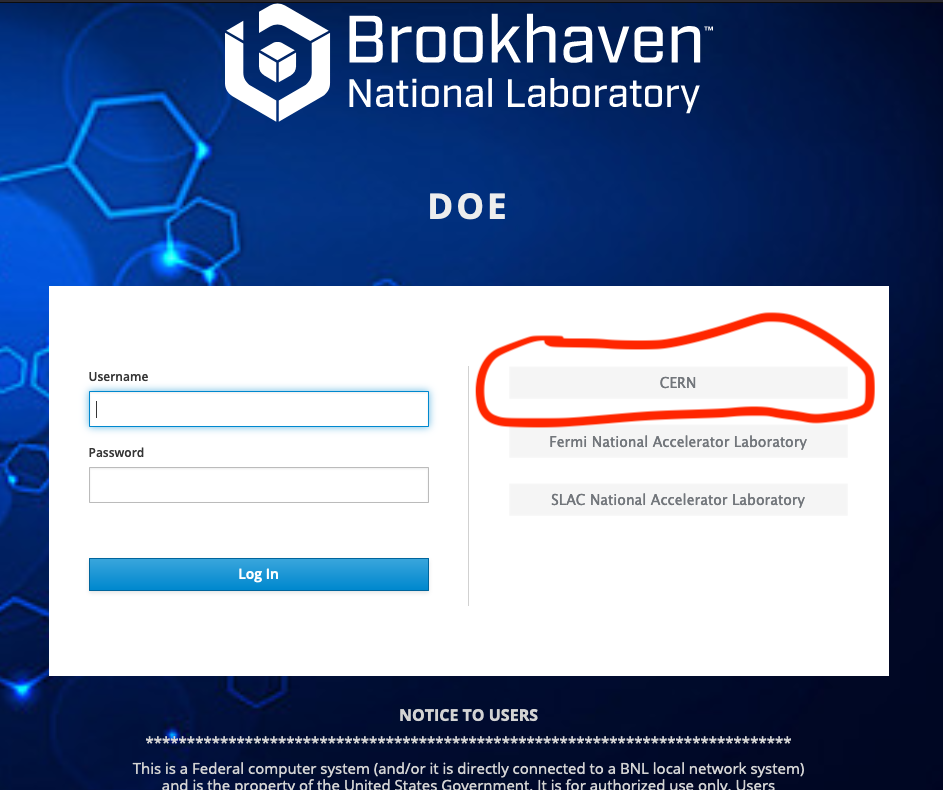
If you already have an SCDF account, you can use it to log in by entering username/password on the left side of this page.
To use your CERN login, select the CERN button on the right. This will send you to a CERN login page (NB: MFA will be required at that point).
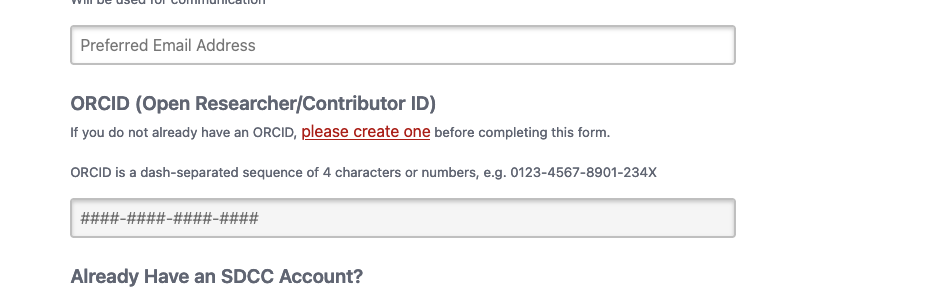
Once you have successfully logged in, you will be directed to an account registration page. On this page, all fields are required, in particular the ORCID as shown below.
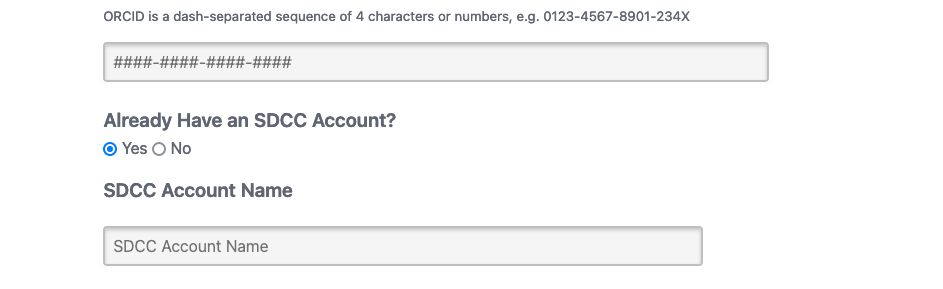
If you have an existing SCDF Account, please select the "Yes" button and enter your SCDF username. This will help us map your federated login to this existing account.
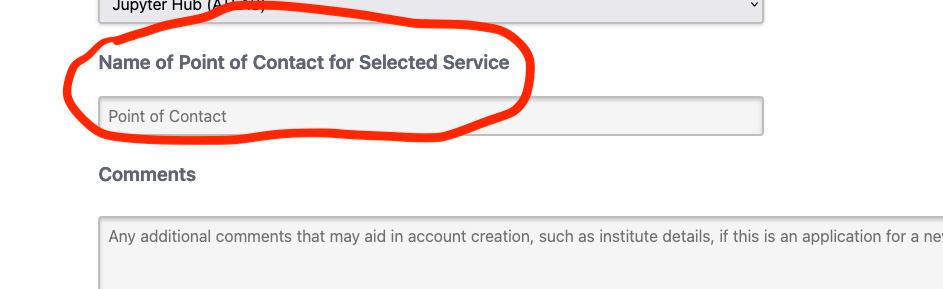
Finally, as a verification step, you will be required to enter the designated point of contact's name. This name must not be shared outside the collaboration. It can be found by contacting sabidi@bnl.gov.
Once you submit your account request, you will receive an email from RT-RACF-UserAccounts@bnl.gov with subject line starting with "Lightweight User Account Request for Federated ID from
See Jupyter at the FCC AF for what to do once you are logged in.